
If you have read our other guides, you already know that websites can estimate your location in two main ways: through your IP address and through your browser geolocation.
Many people use a VPN to protect privacy. Others use Location Guard. Some people think these two tools do the same thing. They do not.
This guide explains what each tool does, what it does not do, and which one is right for your situation.
What Is a VPN?
A VPN stands for Virtual Private Network. When you use a VPN, your internet connection is sent through a server in another location. This server can be in a different city or a different country.
When you visit a website with a VPN turned on, the website normally sees the IP address of the VPN server instead of your regular IP address. This changes the IP-based city or country the website may estimate.
What Is Location Guard?
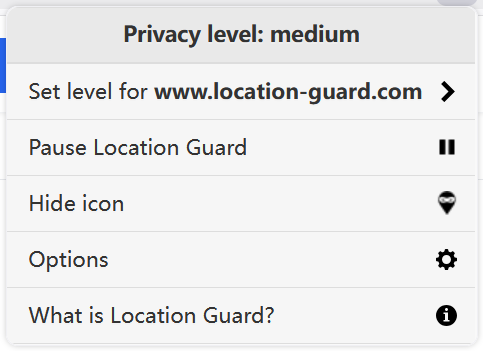
Location Guard is a browser extension. When a website asks your browser for location through the Geolocation API, Location Guard can return adjusted browser-reported coordinates instead of your precise position.
You can choose how much the reported location changes by setting a privacy level. You can also use fixed location mode when you want your browser to report configured coordinates.
Table 1: What Each Tool Protects
This is the most important table in this guide. Read it carefully before you decide which tool to use.
| What websites can access | VPN | Location Guard |
|---|---|---|
| Your IP address location (country / city) | Changed to VPN server location | Not changed |
| Your browser geolocation (coordinates) | Not changed by VPN alone | Adjusted or replaced in browser geolocation requests |
| Your internet traffic content | Encrypted in transit through the VPN tunnel | Not affected |
| Your connection on public Wi-Fi | Helps protect traffic on untrusted networks | Not affected |
| Location from GPS on your device | Not affected by VPN alone | Affects the browser geolocation result, not raw device sensors |
| Location from nearby Wi-Fi signals | Not affected by VPN alone | Affects the browser geolocation result, not raw nearby-network data |
Table 2: What Websites Actually See
This table shows what information a website may receive in four different situations.
| Your setup | What website sees as IP location | What website sees as browser location |
|---|---|---|
| No protection | Regular IP-based city / country | Browser-reported coordinates |
| VPN only | VPN server city / country | Browser-reported coordinates |
| Location Guard only | Regular IP-based city / country | Adjusted browser-reported coordinates |
| VPN + Location Guard | VPN server city / country | Adjusted browser-reported coordinates |
This table shows why using only a VPN may not be enough if you care about browser geolocation, and why using only Location Guard may not be enough if you care about IP address location.
Table 3: Which Tool for Which Situation
Use this table to find the right tool for your specific situation.
| Your situation | Best tool |
|---|---|
| I want to reduce precise browser geolocation exposure | Location Guard |
| I want my IP address to show a different country | VPN |
| I want my browser to report a specific city on the map | Location Guard (fixed location mode) |
| I want to protect my connection on public Wi-Fi | VPN |
| I want to keep internet activity private from my provider | VPN |
| I want to test how a website behaves with a different browser location | Location Guard |
| I want broader location privacy across both IP and browser geolocation | VPN + Location Guard |
| I want a free solution with no subscription | Location Guard |
| I want to reduce location exposure with minimal setup | Location Guard |
Table 4: Cost Comparison
| Location Guard | Free VPN | Paid VPN | |
|---|---|---|---|
| Monthly cost | Free | Free | $3 - $10 |
| Data limits | None | Often limited | Usually none |
| Speed limits | None from the extension itself | Often limited | Depends on provider and server |
| Privacy considerations | Open source; no account required | Review provider carefully | Depends on provider |
| Subscription required | No | No | Yes |
| Works without account | Yes | Sometimes | Usually no |
Location Guard is completely free and open source. Anyone can check the code. There are no hidden costs and no subscription.
Free VPNs are available, but they often have data limits or speed restrictions. Some free VPNs may use data-heavy business models, so review the provider carefully. If you choose a VPN, a paid service from a trusted provider is usually safer.
Table 5: Browser and Device Compatibility
| Location Guard | VPN | |
|---|---|---|
| Firefox | Yes | Yes |
| Edge | Yes | Yes |
| Opera | Yes | Yes |
| Chrome | No (use Change Geolocation instead) | Yes |
| Safari | No | Yes |
| Mobile browsers | No | Yes |
| Desktop apps (not browser) | No | Yes |
| All traffic on device | No | Yes, when enabled at device level |
Location Guard works only inside supported browsers. A VPN can route traffic from apps, desktop programs, and browsers when it is enabled at the device level.
Can You Use Both at the Same Time?
Yes. Location Guard and a VPN work independently. They do not interfere with each other in normal use.
Using both at the same time helps manage two different location signals:
- The VPN changes your IP address location.
- Location Guard adjusts your browser geolocation.
This is a broader form of location protection for regular browsing because it addresses both IP-based location and browser geolocation.
Common Questions
If I use a VPN, do I still need Location Guard?
Yes, if you want to manage browser geolocation. A VPN does not stop websites from receiving browser-reported coordinates when they request browser location permission and permission is allowed. You need a browser geolocation tool for that.
If I use Location Guard, do I still need a VPN?
It depends on your goal. If you only want to reduce precise browser geolocation exposure, Location Guard may be enough. If you also want to change which city or country your IP address suggests, you need a VPN as well.
Does Location Guard slow down my browser?
Usually not in a noticeable way. Location Guard is a small extension that runs in the background and changes the browser geolocation result when a website requests it.
Does a VPN slow down my internet?
Usually a little. Your internet traffic is sent through an extra server, so there is some additional delay. The amount depends on the VPN service and the server location you choose.
Which browsers does Location Guard support?
Location Guard works on Firefox, Edge, and Opera. For Chrome users, Change Geolocation is an alternative. If you are specifically researching Location Guard V3, check the V3 page before choosing an installer.
Summary
A VPN and Location Guard protect different things. Neither tool can replace the other.
| VPN | Location Guard | |
|---|---|---|
| Protects IP location | Yes | No |
| Protects browser geolocation | No | Yes |
| Free to use | Sometimes | Always |
| Works on all traffic | Yes, when enabled at device level | No, browser only |
If you want broader location privacy, using both together is the most effective solution because it helps manage both IP-based location and browser geolocation.
If you're not sure where to start, begin with Location Guard. It's free, takes less than one minute to install, and protects the most precise type of location data that websites can access.
You can download Location Guard from our download page. To check what location information your browser is currently sharing, use our free My Location tool.