
Easily change your geolocation to any location you want and protect your privacy. Simple, fast, and works on all major browsers.
See the extension in action:
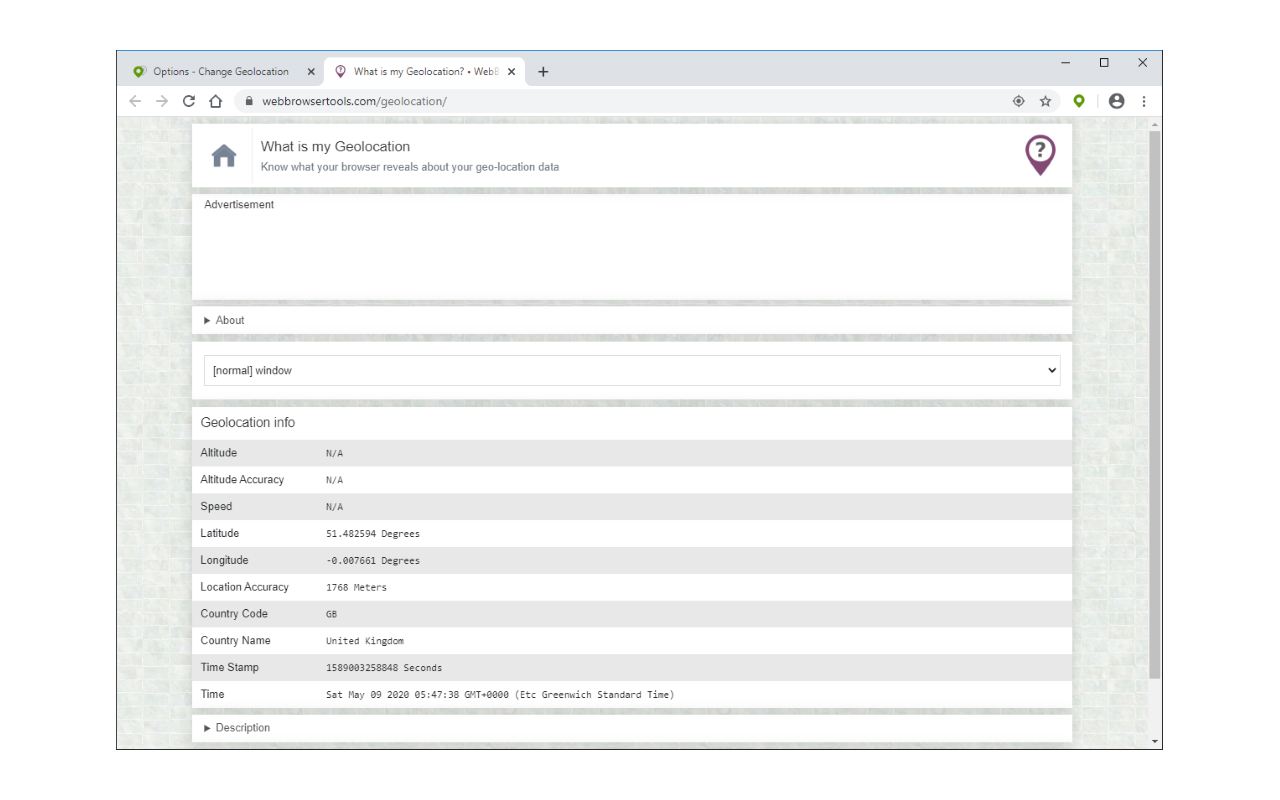
See the extension in action:
Simple, powerful, and privacy-focused location changer for your browser
Simply set your desired latitude and longitude coordinates. One-click toggle to enable or disable.
Protect your real location from websites. Hide or change your geolocation for enhanced privacy.
Configure all geolocation API variables including altitude, heading, speed, and accuracy.
Works on all major browsers and platforms: Windows, Linux, Mac, and mobile devices.
Join 15,000+ users who trust Change Geolocation
Get started in three simple steps
Add Change Geolocation to your browser from the Chrome Web Store or Firefox Add-ons.
Open the options page and enter your desired latitude and longitude coordinates.
Refresh your page and enjoy browsing with your new location. Toggle on/off anytime.
This extension modifies the internal JavaScript Geolocation API so it can report configured coordinates based on your input. All configurable inputs can be found in the extension's options page.
The extension intercepts geolocation requests and returns your custom coordinates instead of your actual location.
Compare Change Geolocation with other alternatives
| Feature | Location Guard V3 | Cloaq | Change Geo |
|---|---|---|---|
| Best For | Privacy Protection | VPN Users | Beginners |
| Ease of Use | Medium | Advanced | Very Easy |
| Map Interface | ✅ | ❌ | ✅ |
| One-Click Location Control | ❌ | ❌ | ✅ |
| Multi-Browser | ✅ | Chrome Only | ✅ |
Everything you need to know about Change Geolocation
Change Geolocation is a multi-browser extension that allows you to easily change your geolocation to a desired value. Simply open the extension's options page and set the latitude and longitude of your desired location. Then refresh the page to see your new location. You can also set other variables in the Geolocation API.
Geolocation is the estimation of your computer's (browser's) position in the real world. It uses the HTML5 API and your device's sensors to calculate your geographic location. After installing this extension, the Geolocation API can be configured to report chosen coordinates. Note that any website that needs to use the Geolocation API must ask for user permission.
Using this extension is very simple. Just add it to your browser and it's ready to use immediately. The extension is enabled by default (toolbar icon is green). The preset location is Greenwich, London, UK.
If you want to change this location, open the extension's options page and change the desired latitude and longitude values. You can use many online services (such as Google Maps) to find the latitude and longitude of a location. After setting the coordinates, refresh the page to see the new geolocation.
As mentioned above, this extension modifies the internal JavaScript API used to calculate geolocation. It can make the API report configured coordinates based on user input. All configurable inputs can be found in the extension's options page.
To disable this extension, go to your browser's extensions page and click the disable button. Note that clicking the toolbar icon toggles the extension's state. When the extension is enabled, the toolbar icon is green; when disabled, the icon is light gray.
Yes, this extension works on desktop and mobile devices for all operating systems (Windows, Linux, and Mac).
If you care about your geolocation, this extension can help you hide or change it. So, in terms of geolocation, this extension does protect your privacy. However, websites can also obtain your location information through other means, such as IP address, time zone, or digital signature.
In the extension's options page, you can change variables in the Geolocation API. These variables include: coordinates altitude, heading, speed, latitude, accuracy, longitude, altitude accuracy, and timestamp. After setting the variables, reload the page for the changes to take effect.
Join 15,000+ users who trust Change Geolocation for their privacy protection

 Download for Chrome
 Download for Chrome